
The Headshot
Turn a Selfie Into a Pro Headshot
A LinkedIn-worthy headshot from a phone selfie — no photographer. Great for your profile, your shop's About page, or a pitch.
Step 1 — make the image
Swap the [bracketed] lines for yours. Leave the rest exactly as it is.
YOUR PART — fill in the [bracketed] lines. Leave everything else exactly as it is. THE ENERGY I WANT: [approachable / polished authority / creative] BACKGROUND: [soft grey / warm beige / white] ——— Here's a casual photo of me. You're a top personal-brand photographer. Give me a one-line read on the energy this projects, then create ONE polished, full-frame professional headshot (portrait, 4:5) — the whole image is the headshot, head-and-shoulders, ready to use as-is. Keep my face, features, and likeness exactly the same — just elevate it: flattering soft studio lighting, tidy natural skin (realistic, not airbrushed), styling to match THE ENERGY, a clean background in the color above. Keep my glasses and outfit. Sharp and professional. (Want options? Run this again for another take, or change the BACKGROUND above.)
The example above
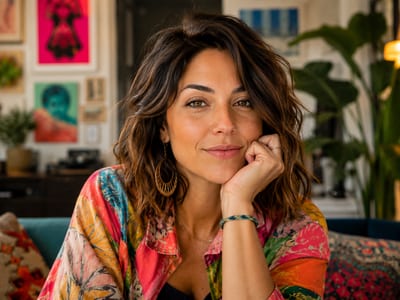
any clear selfie. THE ENERGY I WANT: approachable, BACKGROUND: soft grey.
Photo tip
Clear, front-facing, natural light, no filter.
Step 2 — the bonus
Runs straight after, in the same chat. It is mostly words, so it comes back fast.
STEP 2 — the platform set (paste after you pick your favorite): Take the headshot I picked and give me three exports: a square for Instagram, a wider crop for LinkedIn, and a website banner version — same photo, framed right for each.
The Edit
Take the whole pack — all 10, free.
Every prompt on this site, in one email you can keep. Then The Edit: one new prompt a week, tested on a real photo before it goes out.
One email a week · unsubscribe anytime · no spam, ever
Never done this? It's three steps.
How To / In Three-
Fill in your part
Only the [bracketed] lines change — leave the rest exactly as written.
-
Paste it with your photo
Open ChatGPT, attach your photo, paste the prompt, send. Save the image it hands back.
-
Want the bonus?
Copy the Step 2 prompt underneath and paste it straight after. Those are quick and run great.